

How do I simulate H-beam soldier piles in drilled, grouted holes below the excavation in DeepEX?
Updated: May 20
For users looking to model soldier piles made of H-beams set into drilled, grouted shafts below the excavation level, DeepEX provides a straightforward approach. Here’s a step-by-step guide to configuring these elements accurately within the software:
Step A: Define Soldier Pile Properties
1. Select Wall Type: Choose the "Soldier Pile and Lagging Wall with H Beams" type from the wall options in DeepEX.
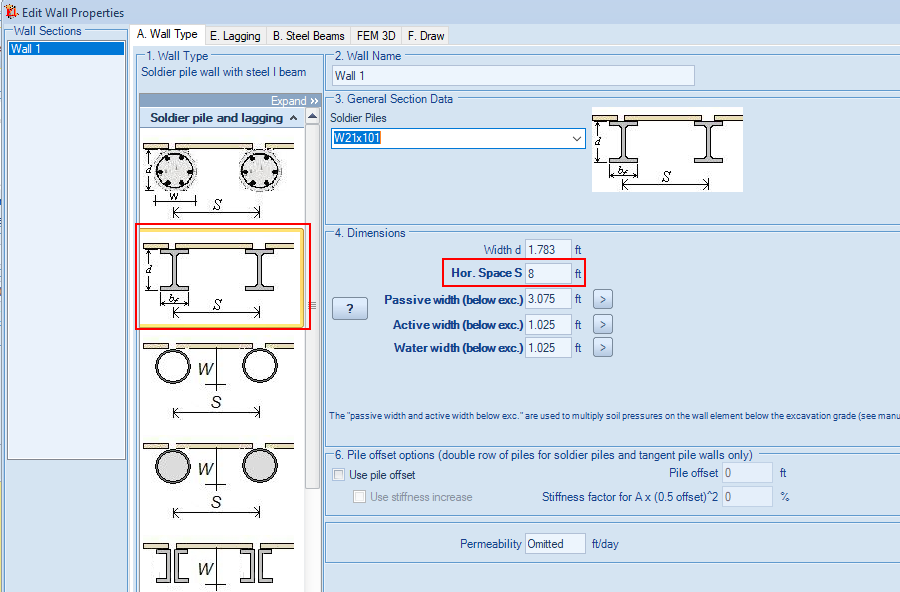
2. Set Pile Spacing: Define the spacing between piles based on the project’s center-to-center spacing requirements.
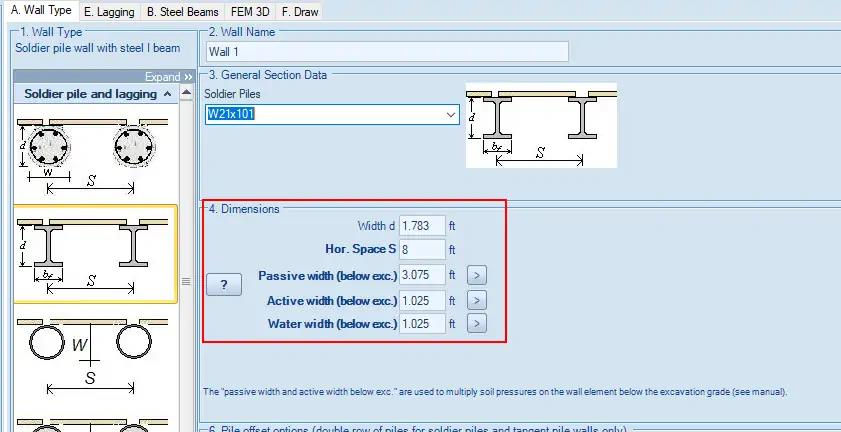
3. Choose an H-Beam Section: Select an appropriate H-beam section from the software’s database. The section properties will reflect a typical driven H-beam configuration by default.
Step B: Configure Grouted Hole and Adjust Pressure Widths
To simulate the drilled, grouted shaft around the H-beam below the excavation level:
1. Set Grouted Pile Diameter: Change the "pile width" to reflect the actual grouted hole diameter.
2. Adjust Pressure Widths Below Excavation:
Active and Water Pressure Widths: Set these widths equal to the pile (grouted hole) diameter.
Passive Pressure Width: Define this as 2 to 3 times the pile diameter, again limited by the pile spacing, to capture the passive side arching effect.
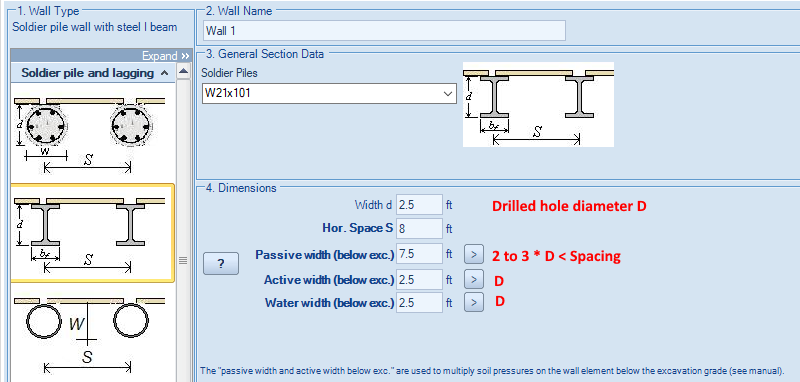
By following these steps, DeepEX will simulate H-beam soldier piles within a drilled, grouted shaft below excavation level, with pressure calculations adjusted accordingly to match real-world behavior.
Let us show you how to reduce your design time by up to 90%!


