
How can I define horizontal soil layers in DeepEX?
Updated: May 20
In DeepEX software you can define the desired horizontal stratigraphy in the Edit Borings dialog.
The procedure is:
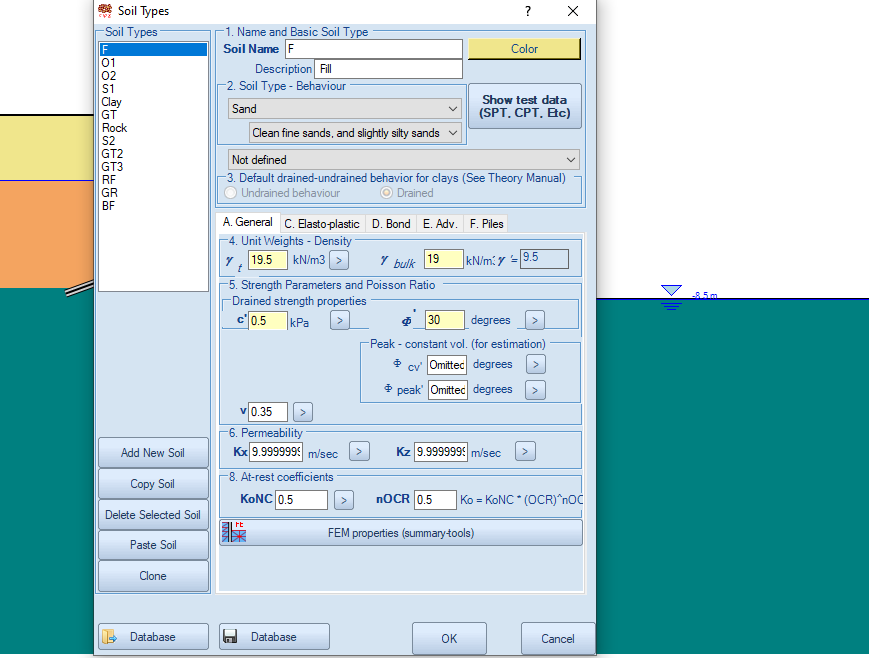
A. Generate/edit soil types and define the desired soil properties.
Access the soil types dialog and edit the soil properties for all soils you desire to use in the generated stratigraphy.
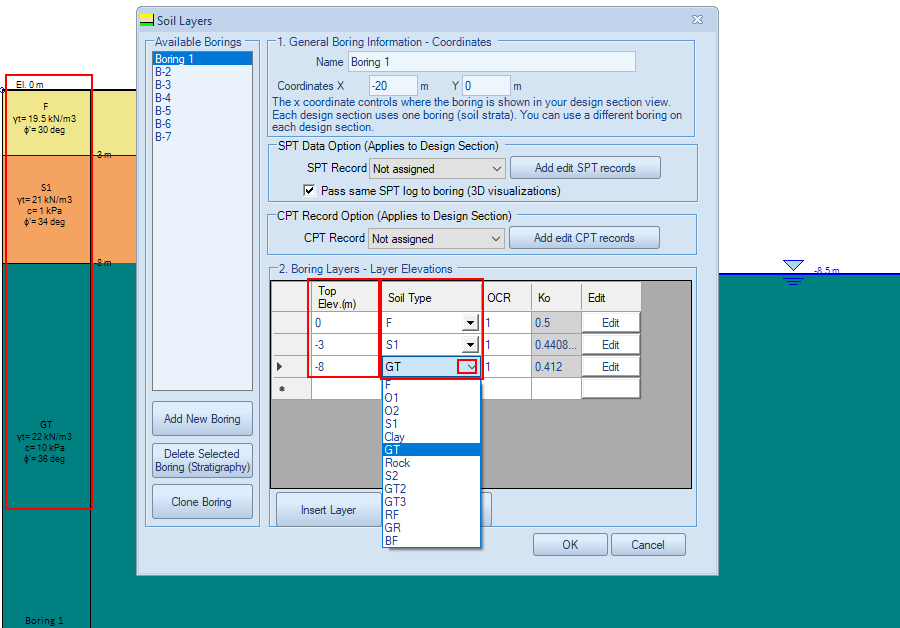
B. Create/edit borings to define the soil layers.
Access the Edit Borings dialog and define the soil elevation and soil type for each desired soil layer, assigning soil types that we generated or edited earlier in the soil types dialog.
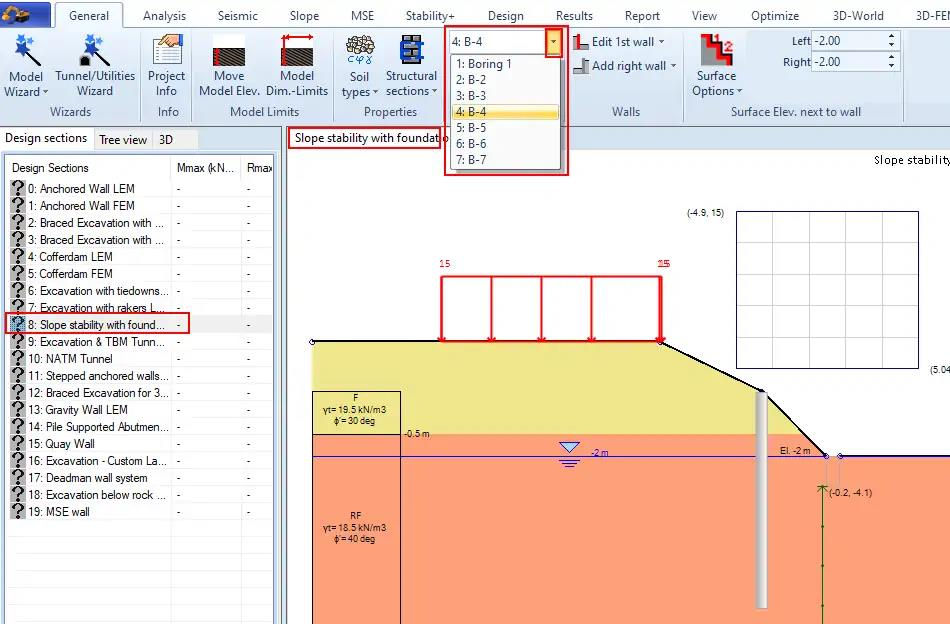
C. Assign the desired boring (stratigraphy) to the corresponding 2D design section.
In DeepEX software you can generate an unlimited number of borings (stratigraphies). You can select to assign any of the generated boreholes to the selected 2D section model from the related drop down menu in the General tab of the software.
Let us show you how to reduce your design time by up to 90%!


