
How can I improve convergence for FEM analysis in DeepEX?
Updated: May 20
The Finite Element Method (FEM) in DeepEX is a powerful tool for simulating complex soil–structure interaction. However, FEM is more sensitive than traditional limit-equilibrium methods. Convergence depends on multiple factors, including geometry, soil properties, and the way construction stages are defined.
If your model has trouble converging, here are some practical steps to improve results:
1. Check Project Geometry
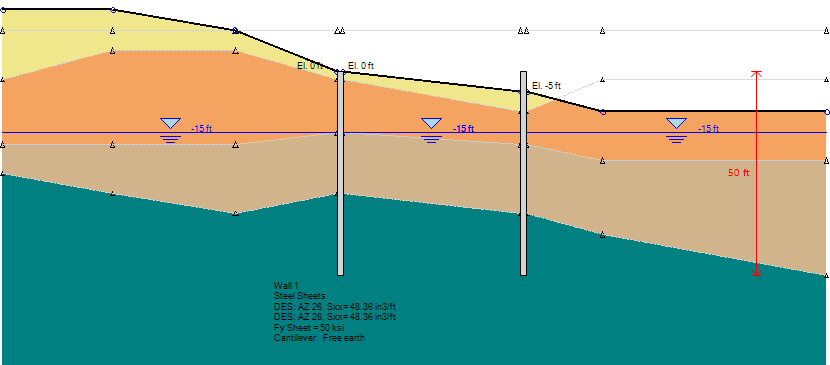
Unrealistic or unstable geometry can cause convergence issues.
Avoid unreasonable soil slopes.
For cohesionless soils, surface slopes should not exceed the soil’s friction angle.
Ensure transitions between layers and excavation shapes are logical and constructible.
2. Adjust FEM Mesh Density
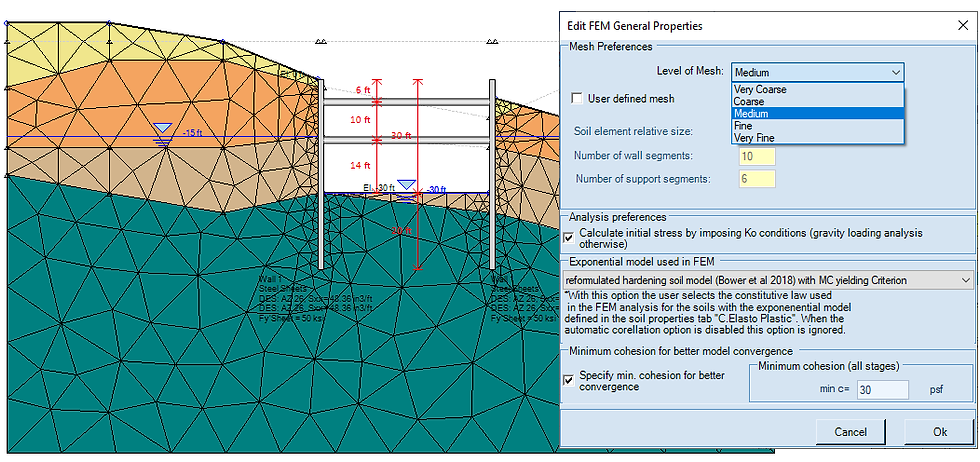
The mesh defines how the soil mass is divided into finite elements.
Coarser mesh → fewer elements, faster calculations, often easier convergence.
Finer mesh → more detail and points in the soil mass, but longer runtime and potentially harder convergence.
Tip: Start with a coarser mesh for troubleshooting; refine later if needed for final results.
3. Use Adequate Wall Friction
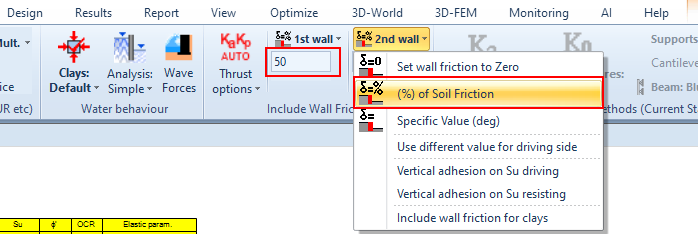
FEM often requires a higher wall friction percentage than other calculation methods.
In DeepEX, wall friction is entered as a percentage of the soil friction angle.
Example: To use 67% of soil friction, enter 67 (not 0.67).
Using zero or very low wall friction can slow or prevent convergence.
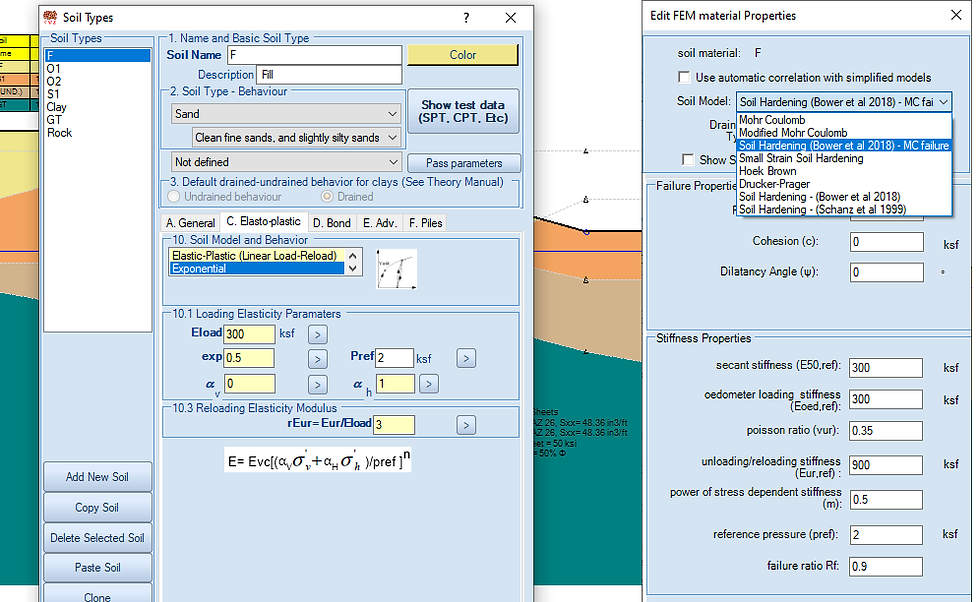
4. Select an Appropriate Soil Model
The soil model you choose affects both realism and convergence speed.
Linear Elastic – Perfectly Plastic (Mohr-Coulomb in FEM) → usually faster convergence.
Exponential (Soil Hardening in FEM) → more realistic stress–strain behavior, but sometimes slower convergence.
5. Add a Small Cohesion for Frictional Soils
Even a small cohesion value can significantly improve FEM convergence.
This is especially useful for upper sand layers.
Adding minimal cohesion does not drastically change realistic soil behavior but helps the solver run smoothly.
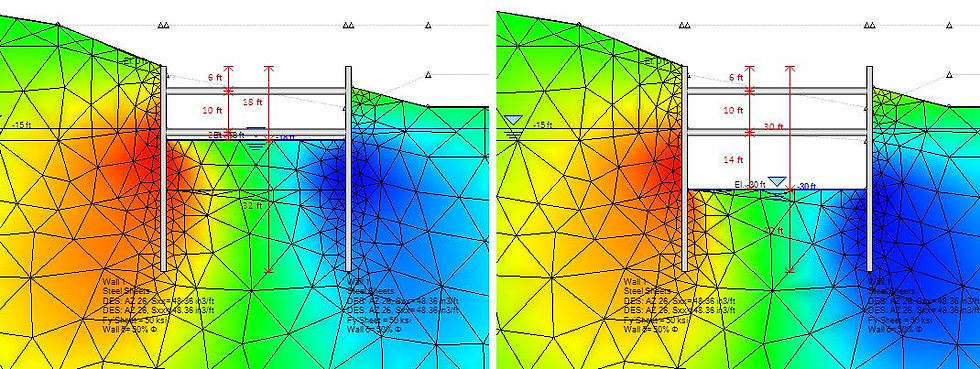
6. Define Strict Construction Stages
FEM requires logical, sequential construction staging.
Start with greenfield conditions: no excavation, equal soil elevations on both sides of the wall, horizontal water table.
Add only one major action per stage:
Excavation
Support installation
Backfill
Support removal
Avoid combining multiple large actions in a single stage.
7. Manual Convergence Settings (Advanced)
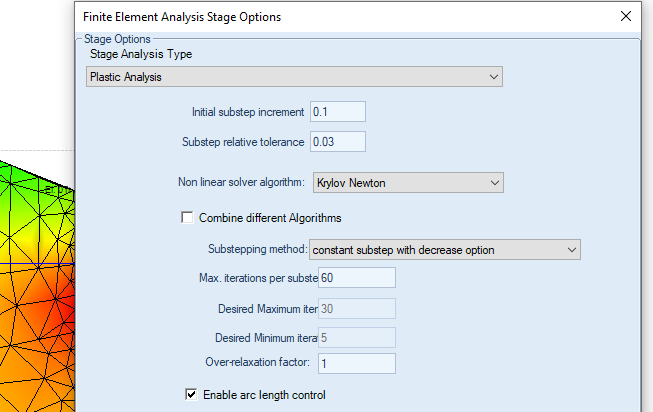
In rare cases, you may manually edit the FEM convergence ratio.
Default in DeepEX: 3%.
You can change this for troubleshooting — but this is not recommended unless you are familiar with FEM behavior.
Summary:
If FEM convergence is an issue, start with simple geometry, coarser mesh, adequate wall friction, and strict staging. Then refine your soil models, mesh density, and parameters once the model runs smoothly.
Let us show you how to reduce your design time by up to 90%!


