
Software Demonstration Videos in French
Package DeepEX 2D
Package DeepEX 3D
Tunnels et métros
Stations et tunnels 3D
Interface, outils et phases de construction
Modèles 2D avec l'assistant DeepEX
Méthodes d'analyse et paramètres
Modifier la stratigraphie
Propriétés des sols
Parois et sections
Normes et combinaisons de charges
Analyse et optimisation des modèles 2D
Rapports et schémas
Modèles 3D - Analyse de portiques 3D
Modèles 3D - Analyse FEM 3D
Batardeau - Modélisation et dimensionnement
Pieux soldats avec tirants d'ancrage
Excavation étayée - LEM 2D & FEM 3D
Excavation Top-Down - LEM, non linéaire, FEM
Analyse de tunnel NATM
TBM Tunnel with Segmental Linings - Time History Analysis
Paroi de pieux sécants - Excavation en porte-à-faux
Paroi moulée avec un niveau d'ancrage
Analyse de stabilité d'un brise-lames
Excavation étayée - LEM, non linéaire, FEM
Braced Excavation - LEM, Non-Linear, FEM
Example 4: Braced Excavation: Comparison of Lem, Nonlinear and FEM analyses

Explore a detailed engineering case study comparing three analysis methods for a 10-meter-deep excavation supported by retaining walls and three levels of steel struts. Using CPT-based soil data, groundwater conditions, and asymmetric surcharge loading, this example examines Limit Equilibrium, Nonlinear Soil Spring Analysis, and Finite Element Analysis in DeepEX. Discover how the methods differ in predicting wall bending moments, displacements, support reactions, and stability. Learn why comparing multiple approaches provides a more comprehensive understanding of excavation performance and governing design requirements.
DeepEX Demonstration Videos
Presentation Videos - DeepEX Software
Engineering projects come with tight deadlines, complex soil conditions, and increasing design demands. Choosing the right tools can make the difference between time-consuming iterations and confident, efficient decision-making.
Below, you’ll find a series of short demonstration videos showcasing how DeepEX helps you model, analyze, and design geotechnical systems more effectively — from everyday excavation problems to complex 2D and 3D challenges.
These videos are designed to give you a quick overview of key features and workflows, so you can see how the software fits into your day-to-day engineering practice.
However, every project is different — and the real value of DeepEX comes from seeing how it applies to your specific needs.

DeepEX 2D Package
Video: DeepEX 2D package: Design and analyze of 2D excavation models:

DeepEX 3D Package
Video: DeepEX 3D package: Design and analyze 2D and 3D excavation models:

Tunnels and Subway Systems
Video: DeepEX - Design deep excavations and subway systems with ease:
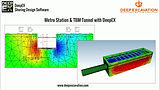
Stations & 3D Tunnels
Video: Simulating subway stations and 3D tunnels in DeepEX:

Interface, Tools & Construction Stages
Video: DeepEX Software - Interface & Tools, Design Sections and Construction Stages:

2D Models with the DeepEX Wizard
Video: Generating 2D Models with the DeepEX Model Wizard:

Analysis methods & Settings
Video: Analysis methods and analysis settings in DeepEX:

Edit Stratigraphy
Video: Edit Stratigraphy and define custom soil layers in DeepEX:

Manage Soil Type Properties
Video: Managing soil types in DeepEX - Soil properties estimation from SPT & CPT:

Manage Walls & Wall Sections
Video: Managing walls and wall section properties in DeepEX:

Structural Codes & Load Combinations
Video: Defining structural codes and geotechnical load combinations in DeepEX:

2D Models Analysis & Optimization
Video: 2D Excavation models - Analysis and optimization in DeepEX:

Deliverables: Reports & Sketches
Video: Deliverables in DeepEX - Export reports and sketches:

3D Models - 3D Frame Analysis
Video: 3D models in DeepEX - Generation and 3D frame analysis:

3D Models - 3D FEM Analysis
Video: 3D models in DeepEX - 3D Finite Element Analysis: