
Explore DeepEX
DeepEX 2D Package
DeepEX 3D Package
Tunnels and Subway Systems
Stations & 3D Tunnels
Interface, Tools & Construction Stages
2D Models with the DeepEX Wizard
Analysis methods & Settings
Edit Stratigraphy
Manage Soil Type Properties
Manage Walls & Wall Sections
Structural Codes & Load Combinations
2D Models Analysis & Optimization
Deliverables: Reports & Sketches
3D Models - 3D Frame Analysis
3D Models - 3D FEM Analysis
Cofferdam - Model Simulation & Design
Soldier Piles with Tiebacks
Braced Excavation - 2D LEM & 3D FEM
Top Down Excavation - LEM, Non-Linear, FEM
NATM Tunnel Analysis
TBM Tunnel with Segmental Linings
Secant Pile Wall - Cantilever Excavation
Diaphragm Wall with a single Anchor Level
Stability Assessment of a Breakwater
Braced Excavation - LEM, Non-Linear, FEM
Software Demonstration Videos in English
DeepEX Demonstration Videos
Presentation Videos - DeepEX Software
Engineering projects come with tight deadlines, complex soil conditions, and increasing design demands. Choosing the right tools can make the difference between time-consuming iterations and confident, efficient decision-making.
Below, you’ll find a series of short demonstration videos showcasing how DeepEX helps you model, analyze, and design geotechnical systems more effectively — from everyday excavation problems to complex 2D and 3D challenges.
These videos are designed to give you a quick overview of key features and workflows, so you can see how the software fits into your day-to-day engineering practice.
However, every project is different — and the real value of DeepEX comes from seeing how it applies to your specific needs.
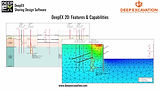
DeepEX 2D Package
Video: DeepEX 2D package: Design and analyze of 2D excavation models:
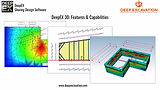
DeepEX 3D Package
Video: DeepEX 3D package: Design and analyze 2D and 3D excavation models:
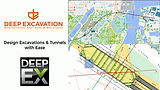
Tunnels and Subway Systems
Video: DeepEX - Design deep excavations and subway systems with ease:
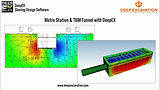
Stations & 3D Tunnels
Video: Simulating subway stations and 3D tunnels in DeepEX:
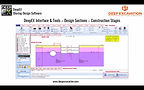
Interface, Tools & Construction Stages
Video: DeepEX Software - Interface & Tools, Design Sections and Construction Stages:
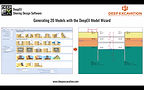
2D Models with the DeepEX Wizard
Video: Generating 2D Models with the DeepEX Model Wizard:
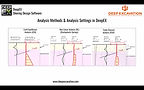
Analysis methods & Settings
Video: Analysis methods and analysis settings in DeepEX:
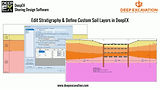
Edit Stratigraphy
Video: Edit Stratigraphy and define custom soil layers in DeepEX:
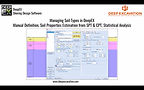
Manage Soil Type Properties
Video: Managing soil types in DeepEX - Soil properties estimation from SPT & CPT:
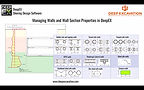
Manage Walls & Wall Sections
Video: Managing walls and wall section properties in DeepEX:
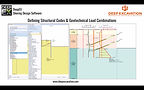
Structural Codes & Load Combinations
Video: Defining structural codes and geotechnical load combinations in DeepEX:
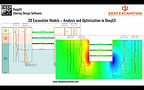
2D Models Analysis & Optimization
Video: 2D Excavation models - Analysis and optimization in DeepEX:
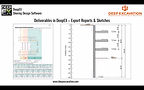
Deliverables: Reports & Sketches
Video: Deliverables in DeepEX - Export reports and sketches:
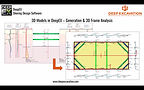
3D Models - 3D Frame Analysis
Video: 3D models in DeepEX - Generation and 3D frame analysis:
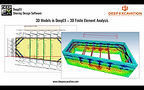
3D Models - 3D FEM Analysis
Video: 3D models in DeepEX - 3D Finite Element Analysis:
LIVE SOFTWARE DEMONSTRATION
OUR PARTNERS


































TRUSTED BY MORE THAN 3000 PROFESSIONAL USERS - ENGINEERS AND FIRMS - WORLDWIDE!