
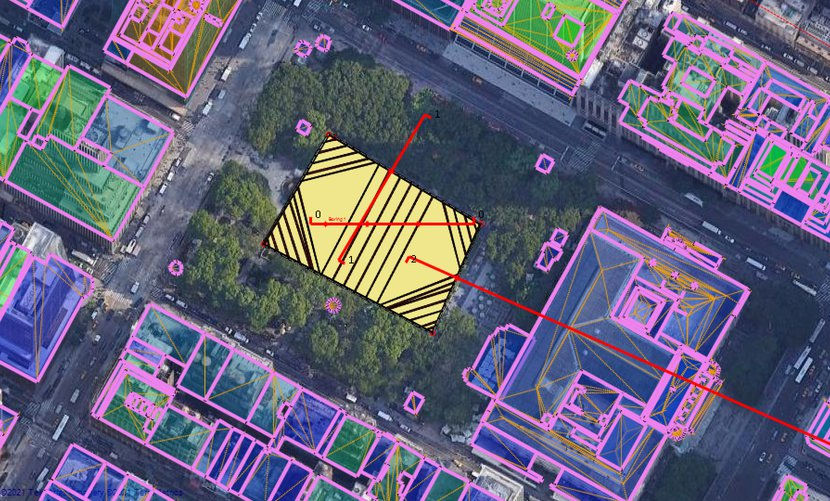
Image: 3D Frame Model in DeepEX with all Imported Surrounding Buildings
Steps
How it works
In any DeepEX model, we can select our model position in Google Maps, define the project area, and import all surrounding buildings automatically in 4 simple steps (the DeepEX 3D Frame Analysis and Export Holograms to HoloDeepEX modules are required):
Step 1: Define Project Location and Load the Site Map
Inside the software, we can define the project address and locate our model area coordinates. We can pass the selected map into our model plan view.
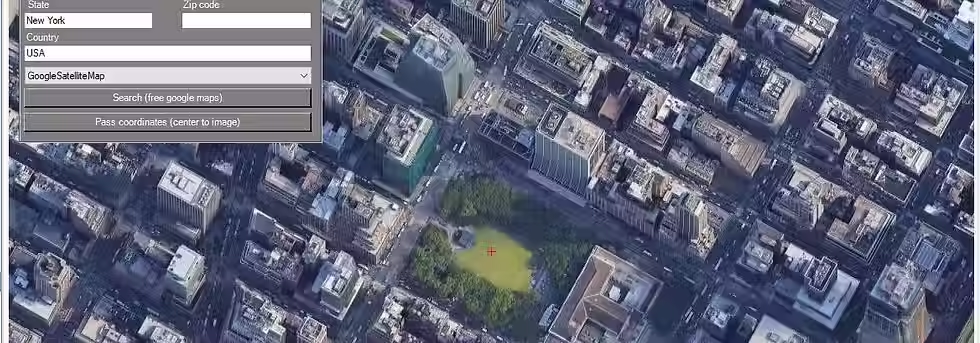
Image: Define Excavation Address and Import Map from Google
Step 2: Define the Project Region on the imported 2D Plan View map
When a 2D site map is loaded, we can select the Draw tools of the software to define the exact project region right on the imported map area.
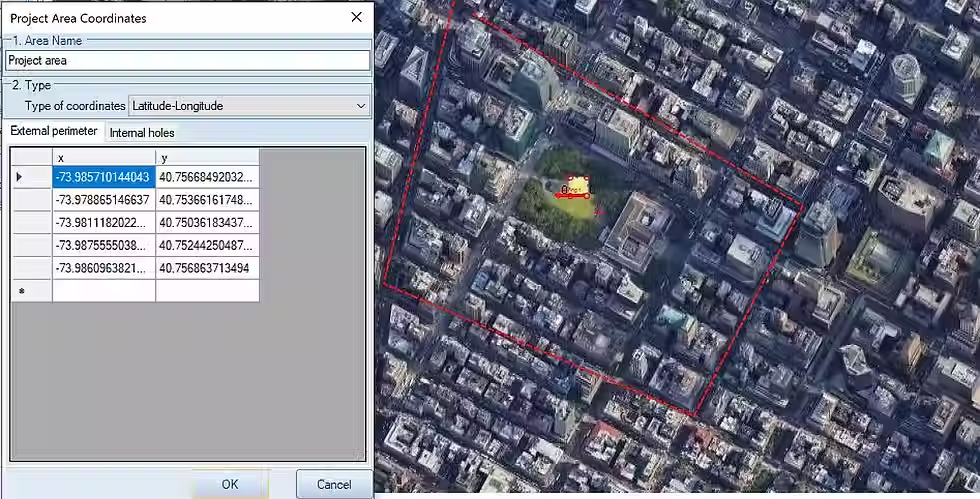
Image: Define the Exact Project Region on the Imported Map
Step 3: Select to Import Buildings into the Project Region from Google
Finally, we can select the respective option, so that the project area buildings will start loading right into our site map. The software will add all buildings and estimate the building heights, footing positions, live and dead loads and more. We can post-process the imported buildings, by editing the building properties and loads manually.
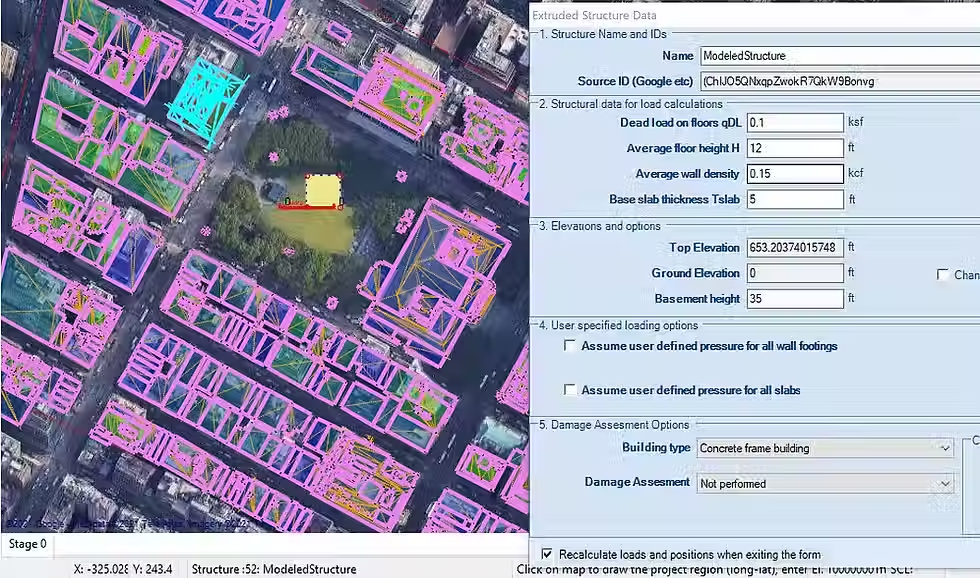
Image: Imported Buildings on the Site Map and Building Properties
Step 4: Generate our 3D Excavation Model and Create 2D Cut Sections
As soon as the buildings are imported, we can move arround our project plan view. The software can create automatically the 3D frame of the model with all project stages. In addition, we can select and generate 2D cut sections on our model area. The 2D models will be generated, including all building loads. We can analyze the 2D and 3D frame models, calculating the loads, the support reactions, the surface settlements and more. With the Building Damage Assessment additional optional module, you can perform a damage assessment for each of the surrounding buildings.
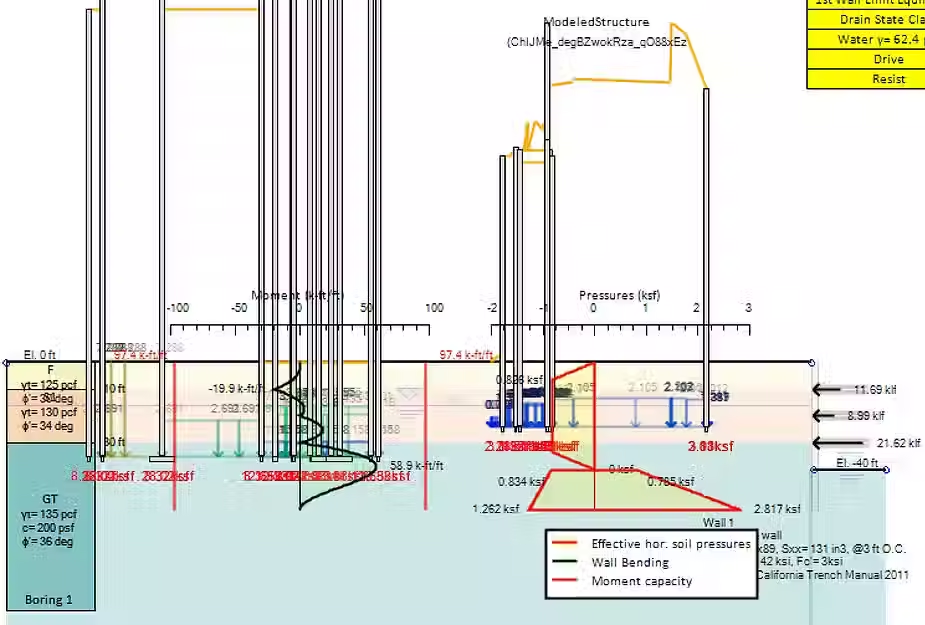
Image: Generated and Analyzed 2D Excavation Model
video
The Future in Excavations Design is here! Review how to Import and Process 3D Buildings in DeepEX Software:
DES SOLUTIONS LOGICIELLES EXCEPTIONNELLES POUR LES PROFESSIONNELS DE L'INGÉNIERIE GÉOTECHNIQUE
Nous proposons des logiciels d'ingénierie géotechnique de premier choix pour les professionnels. Explorez nos solutions ci-dessous. Pour plus de détails, tarifs, ou une démo avec nos experts, contactez-nous.